
The 2027 FIRST Driver Station
For 2027 and beyond, a new Driver Station application is needed to enable users across FTC and FRC to control their robot. At WPILib, we have been working on a new application that is designed to enable seamless use with the new functionality in WPILib, specifically Op Modes. This application is designed from the ground up to be safe and cross platform, with planned support for a future hardware appliance and the existing FTC Rev Driver Hub with an OS update. Only Systemcore is supported, the roboRIO and existing FTC SDK devices will continue to use their existing Driver Station systems.

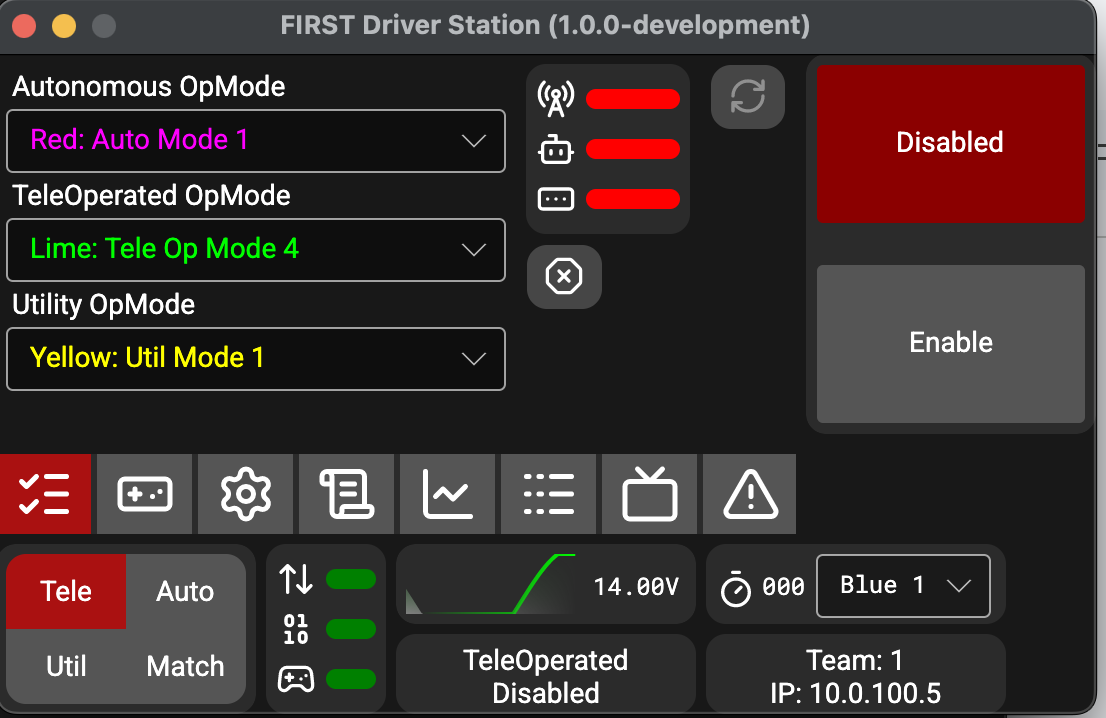
The first iteration is specifically designed for use on laptops, similar to the existing FRC Driver station. It has the same 200 pixel height, and support for docking to the bottom of the screen. Existing dashboards such as Elastic are being upgraded to connect to this DS and enable docking of the dashboard as well.
Hardware requirements for this application are similar to the existing FRC DS. The KOP laptop should run the application fine, as well as any similar laptop with at least a 1280 effective pixel width after any scaling is applied.
As you might notice from the screenshot above, this DS is running on macOS. From the start, this application was designed to be cross platform, and is supported on Windows (x64 and arm64), macOS (x64 and arm64), and Linux (x64 and arm64). For anyone that has followed us before, we’ve said that the chance of a cross platform DS has been low, so how does this work?
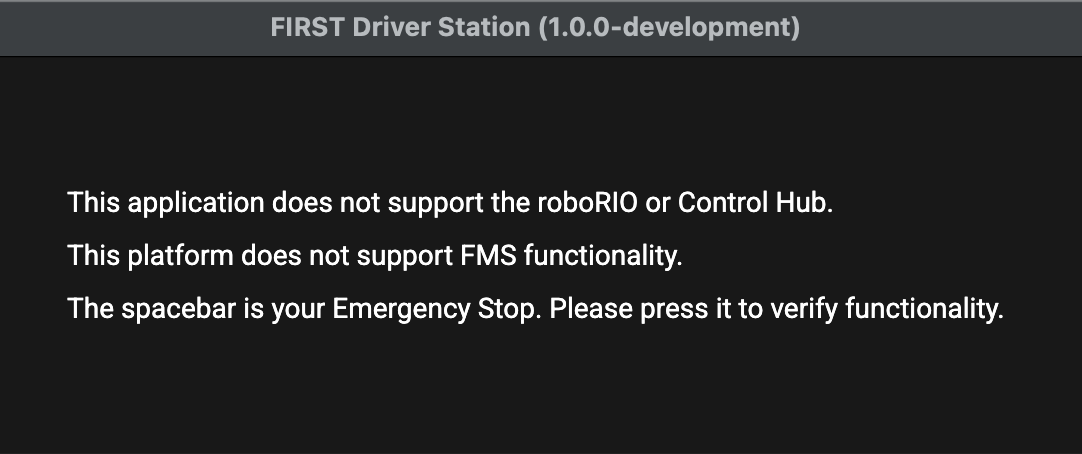
To start with, FMS (At Event) support will only be enabled on Windows and the hardware appliance if approved for FRC use. Linux Desktop and macOS will not be getting FMS support. This is to help our CSAs and FTAs have less configurations to worry about when helping teams run their robots.
Additionally, all platforms have integrated low level keyboard handling to handle E-Stop support, even while the app is in the background. On Windows, this is using RawInput and doesn’t require any extra permissions. On Linux, libinput is used to directly read keyboards without depending on any specific desktop implementation, and requires either permissions to access /dev/input or running as root. On macOS, Input Monitoring permissions are required. On all three platforms, on every startup and when bringing the computer out of sleep, a positive confirmation that the keyboard inputs still work are required. This helps ensure that the functionality is working correctly.
Finally, Gamepads are read using SDL. SDL has functionality to allow identical mapping on gamepads across all of our supported platforms. Additionally, if a mapping is wrong, it is possible to write a custom mapping to map the gamepad correctly. A new Gamepad class in WPILib is designed to be compatible with essentially anything considered a Gamepad by SDL, which includes essentially all console controllers. All existing FTC legal gamepads work and are detected properly.
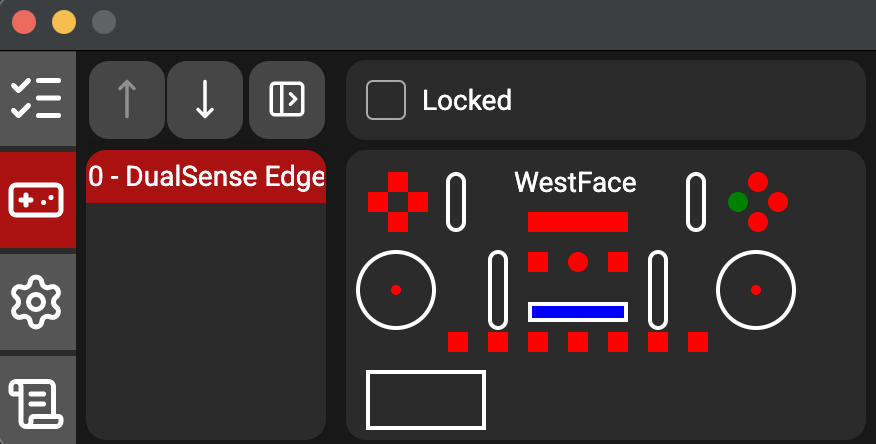
Up to six controllers are able to be sent to the Robot at a time. Additionally, if you have devices on your system that show up as gamepads that you don’t want sent, it’s possible so either scroll the device off of the list, so it doesn’t take up one of your six slots, or you can change a configuration file to remove a device from the list completely.
Let’s talk about some upgrades from the existing FRC Driver Station.
For Gamepads, all axes now have 16-bit resolution instead of 8-bit resolution, enabling finer control. Additionally, up to 64 buttons and 8 POVs are supported as well. Additionally, rumble is now supported across more controllers, in addition to touchpads, trigger rumbles, and LED outputs.
For network communications, the protocol is more robust and includes some quality of life improvements, in addition to proper port handling so firewall modifications should no longer be necessary. Additionally, other updates are planned such as timestamping to make the protocol less susceptible to packet delays.
Driver Station logs now use the WPILog format, and can be opened in existing WPILib log file tools, such as AdvantageScope. AdvantageScope is served by the DS’s web server for easy access, and in the future custom views for DS data might be created.
Autonomous, Teleoperated and Utility modes are supported similarly to the existing FRC DS, with the addition of allowing selecting an op mode to run. Practice Mode has been renamed to Match Mode. This mode is to allow FTC teams to run their robots in matches without an FMS. An A-Stop button exists during autonomous to allow teams to start their autonomous but keep timing for moving to Teleoperated mode.
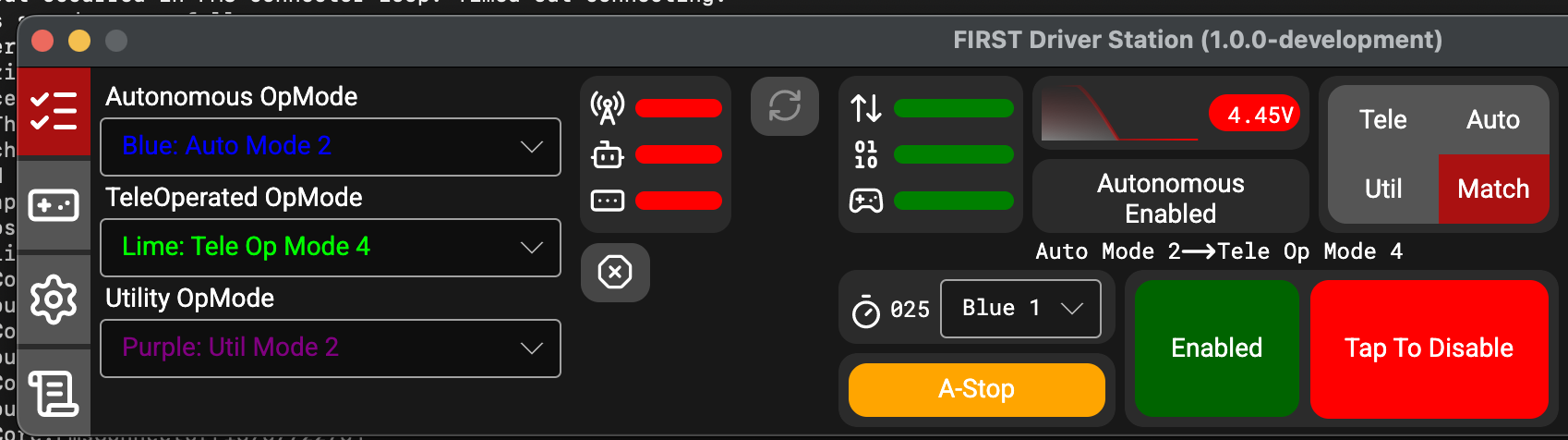
One of the other big changes is around E-Stop. On the existing DS, if you E-Stop the robot, there is no way to reset it without manually restarting robot code, or rebooting the robot. On the new DS, you can hold escape and I for 1 second and the E-Stop will reset.
As stated in the FIRST post, we have not focused on a future hardware device. Driver Hub support is being investigated, and we have done preliminary layouts on the Driver Hub, but there is still much more work to be done.
This Driver Station is currently planned to be used for the 2027 FRC season and any FTC teams using Systemcore starting in the 2027-2028 season. FMS support is currently being added and hopefully will be able to be used at FRC offseasons this year. The application is not compatible with either the existing FRC or FTC control systems.
At this point, the application is closed source for safety purposes. We are investigating options in the future to open source some of the UI portions to enable external contributions.
There’s still a lot more planned for the future. Telemetry and Alerts are being integrated.. Currently there is a console like log, similar to the existing DS, but there’s room for improvement. We are excited to keep working and improving the DS to make it the best it can be for both FTC and FRC users.
The application, and an initial set of documentation can be found at https://github.com/wpilibsuite/FirstDriverStation-Public
Feedback is appreciated, and documentation improvements would be happily accepted as well. We are happy to answer any questions that teams may have.